Kill your dryer

dryer-3

According to an article at grist.org, Americans spend about $9 billion a year on electricity to power their clothes dryers. While appliances such as refrigerators and washing machines have made great strides in energy efficiency, dryers have not. In 2014, the Natural Resources Defense Council published a “call for action” for more-efficient clothes dryers.

It was news to me that dryers sold in Europe, Australia, and Asia use heat-pump technology, which can cut energy use by more than half. Heat-pump dryers have recently come to market in the United States. They’re not exactly cheap, but I’m sure that, over the life of the appliance, they more than pay for themselves in energy savings.

Some people, I realize — for example those who live in cities, or in apartments — pretty much have no choice but to use clothes dryers. Heat-pump dryers could yield considerable savings and avoid a lot of carbon dioxide dumped into the atmosphere.

But when you live in the sticks, like me, and when you’re a cheapskate, like me, a $4.99 clothesline is the way to go. I don’t even have a dryer and don’t want one. Not only do clothes dryers eat your clothes, they give things that dryer smell instead of a fresh-air smell. I even like scratchy towels. Why am I thinking about this now? Because March winds are the best clothes dryer ever.

A new iMac at the abbey — and three Mac reviews

A-screen-shot


A-imac-27


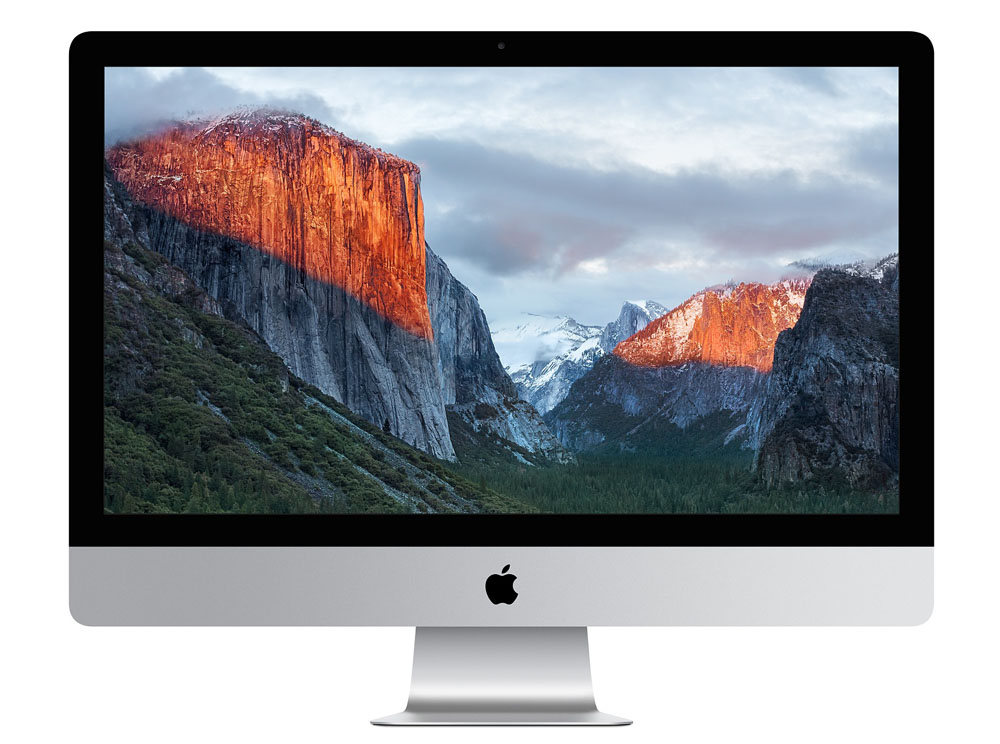
iMac (Retina 5K, 27-inch, Late 2015)


My old iMac was dying. It was eight years old and had served me well — no glitches, no grief, no fuss, no drama. But hard disks can’t last forever, and its hard disk was dying. The old Mac had started to limp — freezing and making racheting noises as the hard disk tried to read bad sectors. The old Mac is fine except for the dead disk. Sometime soon I will open it up, replace its hard disk, and it will live again as a backup computer. iMacs are not cheap, but in the long run they’re a bargain. I got my money’s worth, and then some, out of that Mac.

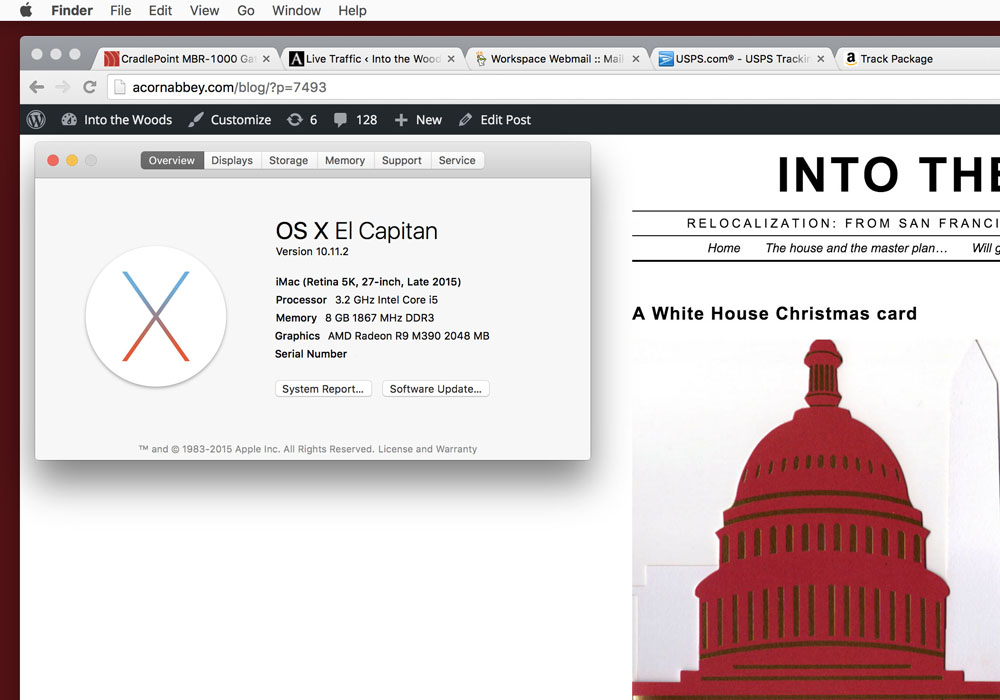
The new iMac is a 27-inch model with the Retina 5K screen, built in late 2015. It has eight gigabytes of memory and a 1 terabyte fusion drive.

I had considered buying one of the new 21-inch iMacs with the Retina screen, but the high-end reviews recommended against the 21-inch iMac in favor of the 27-inch iMac. For one, the price difference isn’t all that great. For two, the 21-inch models are a generation behind with the Intel processors. For three, the 21-inch models are not expandable. Their memory is soldered in, so you can’t change or add memory chips. For four, the 21-inch model has a slower and inferior graphics controller. So, for the few extra hundreds of dollars, you get not only a much bigger screen with the 27-inch models, you also get better internal hardware.

What I like:

• The screen is enormous! The clarity of it is incredible. At 227 pixels per inch, it’s impossible to see individual pixels. Black type on a white screen looks like fine printing on glossy paper, nicely lit. This monitor also has a larger color gamut than earlier LCD monitors, meaning that it can display a wider range of colors.

• It’s fast. My old iMac was pretty slow by comparison, especially when starting up applications or while paging through a lot of photographs. The fusion drive in the new Mac is probably a major factor in permitting most apps to start up in less than a second.

• Migration was easy. I used Apple’s Migration Assistant application. I had made regular backups of my old iMac onto an external hard disk, so Migration Assistant pulled all my files in from the backup disk. That took about 45 minutes. Then, when I first logged into the new iMac, all my stuff was there — mail, photos, bookmarks, and documents.

• The sound quality is remarkable. They seem to have made the whole computer into a speaker cabinet. There’s a little too much resonance (a little like the acoustics of a bucket), but the bass response and overall sound quality are much better than my old iMac.

What I don’t like:

• The keyboard that comes with the new iMacs is small and hard to use. The keyboard does not have page up/page down keys (which I use all the time). Even worse, to save space, the up-arrow and down-arrow keys are actually merged into a single key — half a key each. I have no idea who designs Apple keyboards. They seem to think that laptops now set the standard for keyboards. I despise laptops, not least for the keyboards. The keyboard that comes with new Macs, a Bluetooth keyboard, has no USB ports on the sides. So I went back to my nice, wide extended keyboard.

All in all, the new 27-inch iMac is a magnificent piece of hardware. I hope it will last eight years like its predecessor.

A-el-capitan


Macintosh OS X 10.11.2 (El Capitan)


El Capitan looks and behaves pretty much just the same as the previous version of OS X, Yosemite. In the previous couple of OS X updates including Yosemite, Apple concentrated on getting OS X to interact smoothly with iOS (iPads and iPhones). In El Capitan, like it or not, Apple seems to be concentrating on internal changes in the operating system to make it more difficult for rogue software (and dumb users) to screw things up. In iPads and iPhones, iOS prevents you from getting under the hood at all. In OS X for iMacs and laptops, you can still get under the hood. But, increasingly, Apple is limiting what you can do (unless you really, really know what you’re doing).

It’s easy to understand why Apple is doing that. They have millions of devices in the field. Apple’s reputation depends upon those devices working properly. But users are highly inclined to do stupid things, and there are criminals and predators all over the Internet trying to hijack every device they can and install their malware on it. When Apple makes these kinds of changes that shut you out of your own computer, they always talk about security. But I suspect that a bigger issue than Internet security is keeping owners of Apple devices from monkeying with things, and making it harder to install crapware.

Before I went to the Apple Store to buy the new iMac, I looked up the address and hours on line. Google also showed me customer reviews and customer ratings for the Greensboro Apple store. There were lots of angry, one-star reviews. A typical one-star review might come from an iPhone user whose iPhone was giving trouble. This user would go to the Apple Store irate, blame Apple for whatever was wrong, and demand that the problem be fixed right there on the spot, right this instant. If that didn’t happen, they wrote a one-star review.

Over the years, the advice I’ve always given to people about keeping their computers running smoothly is not to install a bunch of crap on it. Most of the time, when something goes wrong, it’s because of a crap app. In El Capitan, Apple has new safeguards to keep crap apps out. For one, Apple wants signed certificates in software now that identify the software developer and the develop’s good standing with Apple. For two, it used to be that with the “root” password, or system password, you could tinker with any part of the system on an iMac or laptop. In El Capitan, “root” no longer has absolute privilege. There’s another layer of protection that keeps owners — and software — sandboxed to limit the damage that can be done. I have mixed feelings about this. On the one hand, as a veteran Mac user (since the 1980s!), I want to be able to do whatever I want to a system that belongs to me. On the other hand, less experienced users, when they (or a crap app) screw things up, they think it’s Apple’s fault and expect Apple to fix it for them.

It’s sad, in a way, to see an Apple store getting so many bad reviews for customer service. But is there a Microsoft store in your town? Can you walk into a Microsoft store, step up to a bar, and get a Microsoft “genius” to work on your device? Can you even call Microsoft on the phone? Of course not. Even if the Apple stores are packed, and even if you have to wait for someone in a red shirt to help you, at least Apple is there. When you buy a new iMac, you get 90 days of free “Apple Care” in addition to the one-year warranty. A lot of one-star reviews from angry iPhone users does not necessarily mean that Apple is bad at customer service.

My big concern is about how quickly these restrictive updates in Apple’s OS X cause older software to stop working. I absolutely depend on the Adobe Creative Suite, which includes Photoshop and, for publishing work, InDesign. I have version 5.5 of this Adobe software, which is one of the last versions that you can actually own outright. These days, Adobe sells this software in “cloud” versions for which you buy a “subscription” and pay for the software monthly or annually. You don’t own the software; you just rent it and keep on paying. Sooner or later, because Adobe no longer supports or updates Creative Suite 5.5, a new OS release from Apple will break the Adobe software, and I’ll be up the creek. But, so far, Photoshop and InDesign seem to work OK with El Capitan.
A-pogue


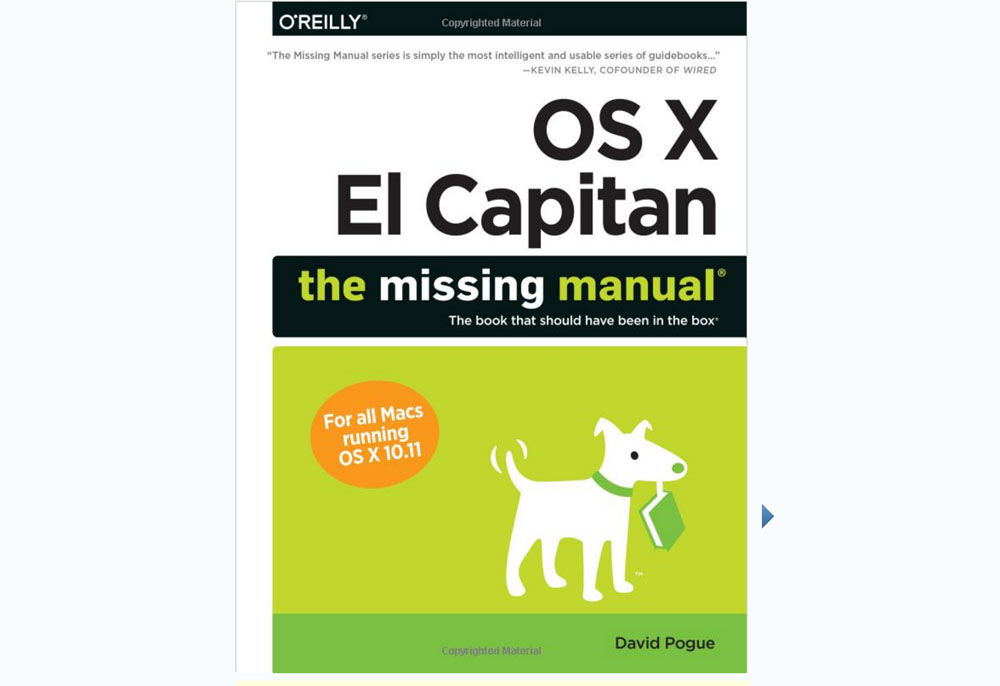
OS X El Capitan: The Missing Manual, by David Pogue. O’Reilly Media, 846 pages, November 2015.


Do you need this book? Probably not, not unless you’re at least a bit of a nerd, and if you have limited experience with Macintoshes, and if you’d like to do more with your Mac. At 846 pages, I wanted this book to get more under the hood and describe the mysterious inner workings of Apple’s OS X operating system. But that’s not really what the book is about. It’s about the kind of stuff that regular Mac users might want to do. If you’ve been using Macs for years, then much of what’s contained in this book is stuff that experienced Mac users “just know.”

Personally, I’m curious about the inner workings of Macintoshes. OS X has changed significantly in the past few years. I have been a Unix user since 1984. Unix, for years, has been my preferred operating system and the operating system that I’m most comfortable with. That’s one reason I use Macintoshes — they’re Unix boxes, under the hood. Apple, however, has taken Unix in a direction very unlike where Linux (now in many flavors) or Sun’s (now Oracle’s) Solaris has gone. Without some documentation, it would be pretty near impossible to see what changes Apple is making in the Unix system that lies under the graphical user interface.

To really know what’s going on under the hood, you’d need to see documentation of the type that software developers use. You’d have to get it from Apple, and I assume you’d have to sign a nondisclosure agreement. But for a technical overview of what’s under the hood in El Capitan, here’s a link to a 40-page “white paper” from Apple.

On the other hand, if you’re a person who can learn from books, and if you’re a little afraid of your Macintosh and would like to become better acquainted with it, then Pogue’s book is probably the best book that you can get on the subject. There are lots of illustrations to show you what you should see on the screen. There’s a good index. The book is nicely organized. And there’s an appendix on troubleshooting.

With books like this, you just might be able to solve some of your own Mac problems without standing in line at the Apple store.
Fiber gets closer

fiber-1

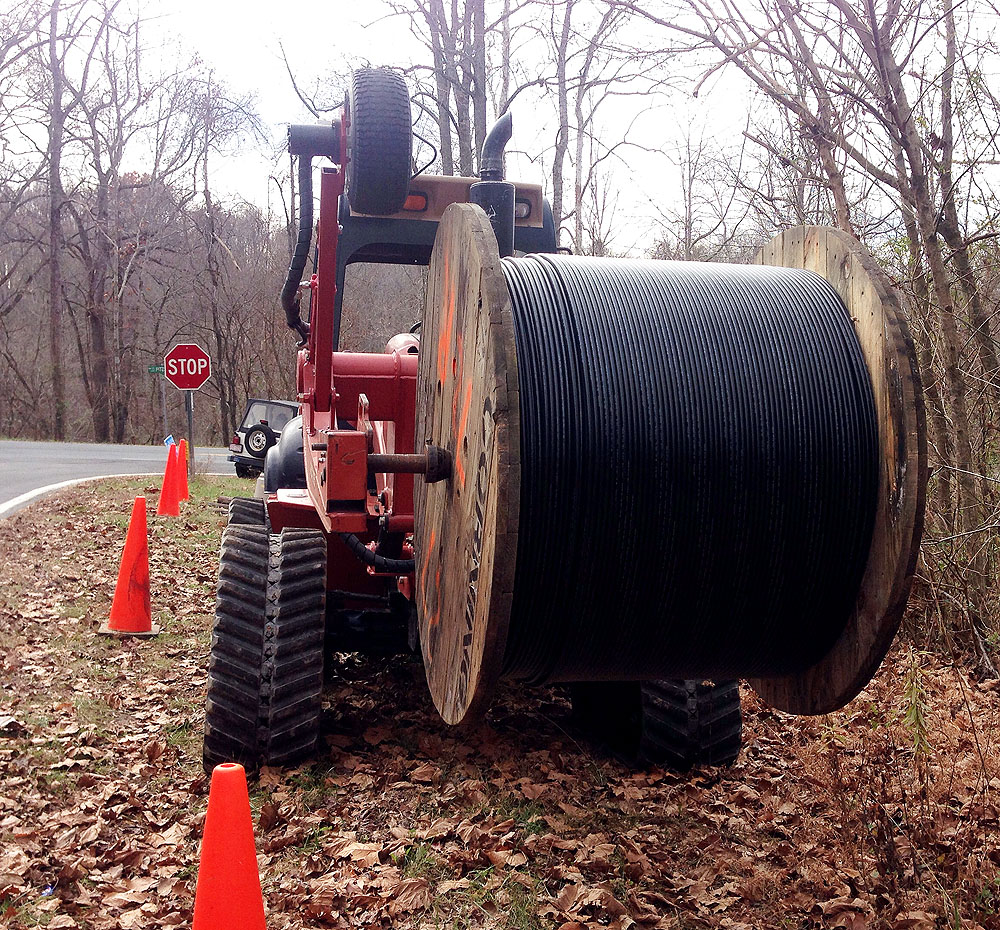
Generally, if I see heavy equipment anywhere within miles of the abbey, it’s a reason for panic. It means that someone is cutting trees to sell logs, or someone is up to some kind of mischief with a bull dozer. But there is one kind of machinery that is a joy to see nearby. That’s the kind of machinery that buries fiber optic cable.

This equipment was parked during the weekend about two miles from the abbey. It’s not clear whether the route of the new fiber will be on the paved road nearest the abbey. The abbey, by the way, is on an unpaved road half a mile from pavement.

One of these days, though I have no idea when, the abbey will have fast Internet.

fiber-2

fiber-3

fiber-4

Cuisinart CSO-300 steam oven: a re-review

oven

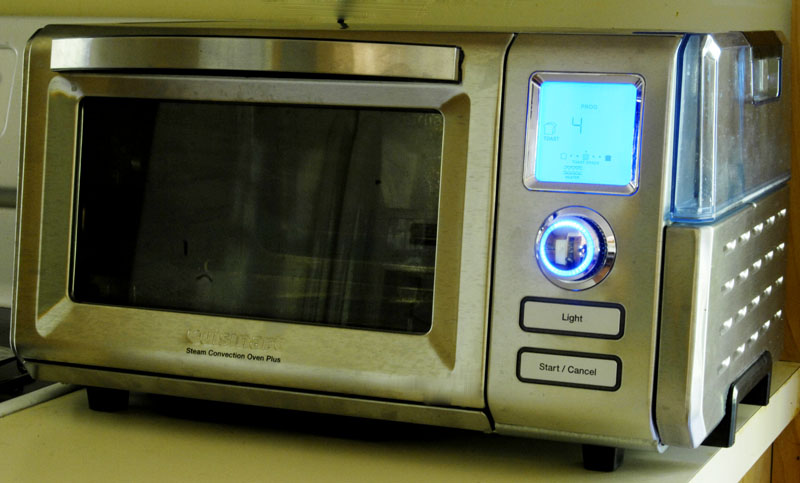
I’ve had the Cuisinart CSO-300 steam oven for three months now. It deserves a re-review.

This oven has earned its way into the same category of possessions as my camera: I’d panic if I suddenly didn’t have it. After three months, I can’t imagine not having it in the kitchen. To cook without it would be a huge downgrade.

My primary reason for this is bread-baking, using the the oven’s steam function. Not until I had this oven could I really make artisan breads at or near the professional level.

The next most important factor, I think, would be reheating leftovers. Granted, most people use microwave ovens for that. However, I abhor microwave ovens and haven’t had one for years. I don’t like what microwave ovens do to foods. Whereas the combination of steam and convection in this Cuisinart ovens warms up leftovers very fast and makes leftovers taste fresh made.

Another important factor is convenience and energy savings. My big oven now seems impossibly slow and limited, and I hardly ever use it now. Not only does the big oven take a long time to preheat, it also takes a long time to cool down. The energy use is substantial, and it creates a huge heat load in the house in summer weather. The Cuisinart oven is somewhat better insulated than most countertop ovens. It preheats very fast.

Today I gave this little oven its first good cleaning. Cuisinart recommends running the oven with the steam setting, set at 210 degrees, for 30 minutes, before cleaning. This does seem to loosen the crud somewhat, though not by any means will it render the oven spotless. The interior is stainless steel. It’ll look nice and clean after you’ve cleaned it, but some of those brown spots are going to be permanent.

It does take time to get used to this oven. One learns to keep tall items away from the upper heat element, so that the tops of whatever you’re cooking won’t brown too fast. Another hot spot to avoid is the convection outlet. This is no big deal when you get used to it. Yes, it would be nice if the oven were a little larger, but if it were larger it would be a problem finding counter space for it in my kitchen. So I think Cuisinart probably made a good compromise on the oven’s size.

If I have complaints, they’d chiefly be about the oven’s digital controls. The bread function, regardless of total baking time, applies steam for the first seven or eight minutes of baking, and that’s not adjustable. That’s not enough steam time. Bread will continue to rise in the oven for longer than that. I get around this by restarting the steam function as soon as it stops, for a total of 14 minutes of steam. It’s also a little annoying that, while the oven is baking, the time remaining is displayed on the screen, but the temperature is not, even though there’s plenty of screen space. I’m going to guess that Cuisinart will improve its control programming in later models.

Amazon sells this oven for $225 right now, shipping included. That seems like a bargain to me. You’ll want this oven only if you’re looking for the steam function. Otherwise a simpler and less expensive oven will do the job for you. But keep in mind that the steam is useful not only for bread baking but also for reheating leftovers and for cooking rice dishes or other casseroles that tend to dry out in the oven. Many people swear by steam roasting for things like chicken. However, I don’t cook chickens, so I can’t testify to that.

My hope is that steam ovens for home use catch on. Then not only might Cuisinart come out with other models, but competitors also will get into the market. Commercial steam ovens are very expensive, but I’m now convinced that serious cooks seriously need steam baking at home.

I rarely watch cooking shows because I rarely watch television, but if Cuisinart was smart they’d get some television cooks to start using these things. Then everybody would want one, and we’d soon have a great market in steam ovens for home use.

The normal failure of CFL bulbs

cfl-bulb
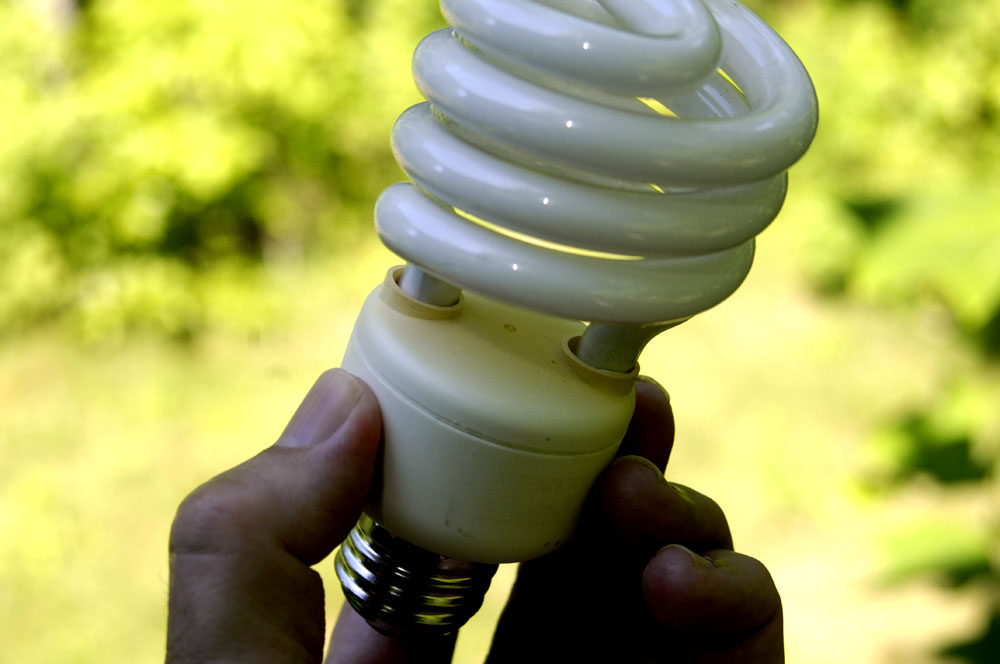
Note that the top of the base is slightly brown from heat, which may have occurred when the CFL failed. This is normal.


I happened to be standing right underneath a compact fluorescent bulb yesterday when it failed. It failed exactly according to the book: There was a quiet pop, about the volume of a single grain of popcorn popping, and the bulb went out. When I removed it and looked at it, the white base was slightly brown from the heat of the ballast failure. This was a completely normal failure in accord with the way CFL lamps are designed to work.

The bulb was one of four in my kitchen ceiling that light the countertops. The lamp was seven years old. It was one of the brighter types — equivalent to 100 watts of incandescent light at 23 watts power consumption.

Right-wingers who believe that any kind of energy conservation is a left-wing conspiracy have done everything possible to demonize CFL bulbs. A while back, a conservative friend on Facebook shared a propaganda post about how terrified some right-winger was when a CFL bulb made a popping noise and a blackish brown spot appeared on the base. If I hadn’t been home it could have burned my house down! said the Facebook post. Horse wash. Some of the earlier bulbs failed less gracefully, but they all eventually fail, and the failure is usually in the power supply. As the Wikipedia article on CFL lamps points out, one of the challenges of designing CFL lamps is designing in an inoffensive failure mode. And of course nobody wants to smell smoke. My CFL failure yesterday created no odor at all.

The power supply in the base of the bulb, by the way, is a small electronics board that first converts AC house current to direct current. Then transistors convert the direct current to very high frequency alternating current, which is fed to the bulb. It’s this circuit that normally fails, not the glass part of the bulb.

No one claims that CFLs are perfect. What we all want is cheap LED lighting with a natural sunlight color. We’re getting there.

Ancient astronomy

A-ptolemy2
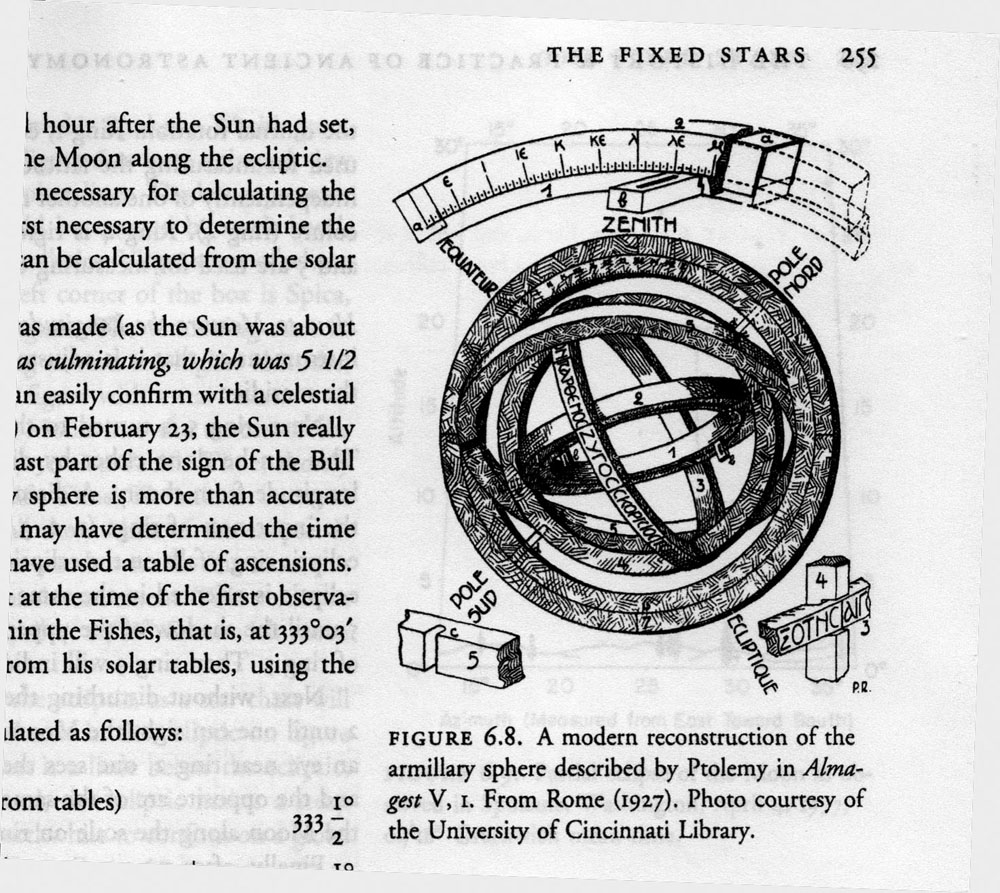
An illustration from James Evans’ book on ancient astronomy


I’ve mentioned that the sequel to Fugue in Ursa Major is going to involve time travel. The plot requires that I have an understanding of the state of the science of astronomy around 48 B.C. As a source for that, I am reading James Evans’ The History and Practice of Ancient Astronomy, which was published by the Oxford University Press in 1998. This is a beautiful, well-illustrated, and fairly expensive book. It has left me greatly impressed at just how much the ancients knew.

We generally assume that modern astronomy began with Copernicus and Galileo as the Dark Ages were coming to a close. In 1633, the church convicted Galileo for following Copernicus in saying that earth is not at the center of the universe. But some of the ancient Greek astronomers figured out that the earth moves around the sun, though it was not a mainstream idea in ancient times. Aristotle knew that the earth is a sphere. Heraclides of Pontos, a student of Plato, taught as early as 350 B.C. that the earth rotates and that the stars are fixed. Greek astronomers were able to make pretty good estimates of the size of the earth and moon, though their estimates of the size and distance of the sun were less accurate. The Greeks understood trigonometry. They had a pretty accurate theory of the motion of the planets. Even before the Greeks, the ancient Babylonians were excellent astronomers who made detailed star charts and kept accurate astronomical records. Babylon’s knowledge was passed down to the Greeks. The Greeks built on Babylonian astronomy, especially during the golden years of Alexandria, culminating with Ptolemy’s Almagest around 150 A.D. After Ptolemy, the Dark Ages began in the West, so Ptolemy remained authoritative for hundreds of years.

So, it’s not really true that, to the ancients, the science of astronomy was barely distinguishable from the myths of astrology. They knew a lot.

So how did they use what they knew?

For one, they wanted better calendars. The daily cycle, the lunar cycle, and the annual solar cycle don’t fit together in tidy ratios, so there is no perfect calendar. Our own Gregorian calendar, an antique which is a refinement of the ancients’ Julian calendar, requires all sorts of adjustments including leap seconds and leap years. In its essentials, our calendar today is the Roman calendar, which relied heavily on Greek astronomy.

Astronomy is critical to agriculture — when to plow, when to plant. This remains true today, and I still subscribe to an almanac, as did my grandparents. Benjamin Franklin’s Poor Richard’s Almanac was a bestseller in the American colonies. People planted by it.

Astronomy also is critical to navigation, surveying, and mapmaking. Ancient sailors knew how to navigate by the stars. One of the reasons I chose Ursa Major as part of a book title was its importance to the ancients. The constellation of Ursa Major is visible for the entire year in most of the northern hemisphere. Ursa Major includes some easily identified “pointer stars” (the Big Dipper) that make it easy to locate the polar star and therefore true north. An ancient sailor who wanted to sail east at night would keep Ursa Major up to his left. We know that the ancient Celts had excellent seafaring skills and excellent ships and that the Celts also used Ursa Major for navigation.

How about astrology? It would be easy enough to accuse the ancients of being superstitious because they tried to use the stars to predict the future and to make generalizations about human nature and human fate. But we moderns are just as guilty, since horoscopes remain important in the lives of lots of people.

It’s easy enough to reproduce the astronomical observations of the ancients with some simple instruments. A gnomon (which is what a sundial is) will allow you to deduce and measure all sorts of information if you trace the sun’s shadow for a year. If you trace the sun’s shadow for a single day, you can very precisely locate true north. If you have a protractor or an astrolabe and measure the angle of the sun above the horizon on the summer solstice, you’ll know your latitude. Looking through tubes attached to a tripod will let you measure an object’s motion from hour to hour. You’ll need some star charts. And if you want to get fancy, you’ll need to brush up on what you learned about tangents, sines, and cosines in trigonometry class.

Even today, with an astrolabe, a watch, and a view of Ursa Major, you could throw away your GPS.

How would you do that? Measuring the angle of Polaris, the north star, above the horizon will tell you your latitude. That’s easy. Longitude is more difficult, and longitude bedeviled the ancients. But if you can determine your local time by getting a precise fix on noon (with the gnomon of a sundial, say, or the shadow of a stick stuck in the ground), and if you know what time it is at some distant place with a known longitude (Greenwich is handy for that), then you can calculate your longitude. At night, you can get a pretty good fix on the time by measuring the position of a known star.

To clarify the concept of longitude, keep in mind that the British navy carried accurate clocks on their ships (chronometers) not because they cared about the local time wherever they might be. Rather, the chronometer always said what time it was back in Greenwich. If you determine your local time from the sun or a star, then the difference between your local time and Greenwich time tells you how far you are east or west of Greenwich. After accurate clocks were available for ships, marine navigation greatly improved. This is why Britain’s Royal Observatory at Greenwich was commissioned by King Charles II in 1675. In the U.S., the Naval Observatory is one of the oldest scientific organizations in the country. The Naval Observatory was responsible for the “master clock” that the navy used for navigation. The observatory still is responsible for the master clock! The time used by GPS satellites is determined by the U.S. Naval Observatory.

But before GPS, if you were a ship at sea carrying Thomas Jefferson from Virginia to Calais, you’d needed a star to figure out the local time. The stars most convenient for that are in Ursa Major.

I like to think of it this way: The stars are still up there, raining information down on us day and night. All we have to do is just look up, and measure.

Software review: Scrivener for Macintosh

scrivener-shot

Scrivener is an application particularly designed for writers. It has templates for fiction, non-fiction, academic work with footnotes, screenplays, etc. It is available for Macintosh, Windows and Linux.

I’m a nerd. I have been using Macintoshes since the 1980s. I use Adobe InDesign for publishing work, and I’m very happy with it. But InDesign isn’t for writing; it’s for setting up typography and page layout in the final steps of publishing. As I prepare to write the sequel to Fugue in Ursa Major (which has the working title Passacaglia in Ursa Major), I simply could not face writing another novel in any of the editors I’ve ever used. I’ve used many editors. I go all the way back to vi and nroff in the early Unix world. Like I said, I’m a nerd.

I started looking for outliners and editors. They all are terrible. I like many of the concepts of programs like BBEdit, because they’re clever and oriented toward streams rather than pages. But BBEdit and other programmer’s editors don’t even support bold and italics, as far as I could tell. I despise Microsoft Word and refuse to use it. I cannot stand software that tries to automate things and that thinks it knows better than I do. In Word, things are always hopping around in unpredictable ways. For every keystroke that Word’s automated features might save you, 9,462 keystrokes are required to clean up the messes it makes. LibreOffice is no better, just because it’s from the Word universe. The chief virtue of LibreOffice is that it’s fully Word compatible, so that one doesn’t have to support Microsoft.

Opting for simplicity and nonviolence, I was about to start the new novel in Macintosh TextEdit, using a TextEdit file as an outline. TextEdit is a simple, bare-bones editor. But then while Googling I came across Scrivener. I could scarcely believe it. There are people on the planet who think like me!

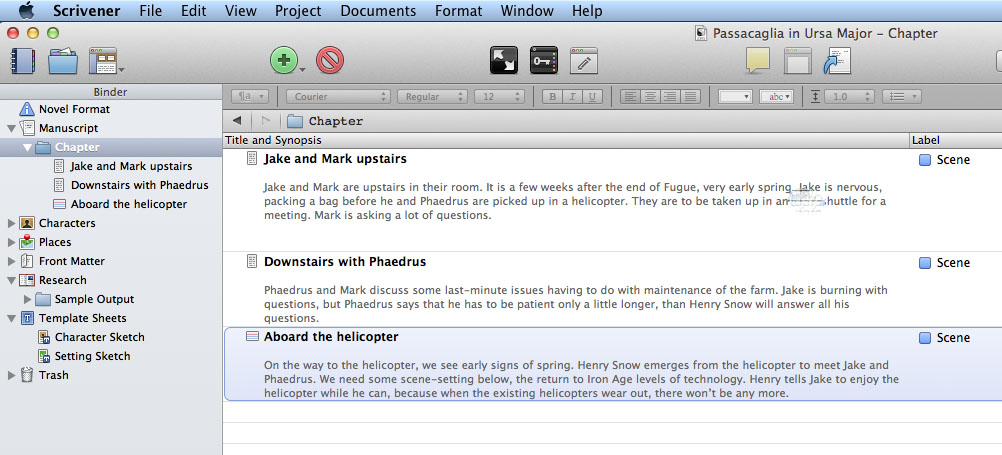
Scrivener is complicated, but that’s fine. I think I’ve figured out an acceptable way to set up the new novel. Scrivener’s corkboard metaphor for outlining threw me a bit, but I think I’m getting a grip on how to set up my outline using a table view of the outline (pictured above). I think I would buy this program for typewriter mode alone. Typewriter mode keeps the cursor at the center of the text block, so that you can always see the context above and below what you’re writing or editing. It drives me absolutely crazy to always be typing at the bottom of the screen. Also, I abhor being forced to type on images of 8.5×11 pages and watching text hop from page to page and get entangled in unneeded and unwanted headers. A novel has nothing to do with pages until the last steps of the publishing process, in InDesign. During the writing process, it’s just a stream of text, and putting the text on pages just gets in the way.

I wrote Fugue in Ursa Major chapter to chapter, but I had already decided that I wanted to structure the new novel as scenes. Scrivener was ahead of me on that. By default, chapters are made up of a sequence of scenes. I also wanted a way to track settings and characters. Scrivener was ahead of me on that. It has templates for tracking characters and scenes, and the text can be tagged if you need to search a long novel for places that involve a particular character or scene.

The concept of compiling is brilliant. Having used software compilers for 30 years, it was instantly clear to me how the concept of compiling is appropriate to a long stream of text. Scrivener’s compile feature will probably scare users who are unfamiliar with the concept. But if you go through the tutorial that comes with Scrivener, compiling will start to make sense.

Scrivener costs $45 for a single-user license. The software was written by a nerd in Truro, Cornwall, because he needed a program like Scrivener to help him write his Ph.D. dissertation.

Macintosh memory management

mac-memory

This is a nerd post. Sorry, non-nerds…

I have been using Macintoshes since the 1980s. The Macintosh operating system has gone through many changes in that time, and it’s one of the best computer operating systems in existence. Though my favorite all-time operating system was Solaris, the version of Unix produced by Sun Microsystems. A few months ago, Apple released version 10.9 of the Mac OS X operating system, also known as Mavericks. I like Mavericks (not least because it was free).

If you turn your computer on and off every day, memory management is of little concern to you. However, if you leave your computer running all the time, as I do, and especially if you have an older computer without the abundance of memory in newer computers, then memory management matters.

One of the wonderful things about the Macintosh OS X operating system is that it is extremely stable. A Mac can be left running for months without needing a reboot. I’ve seen Solaris computers run for more than a year without needing a reboot. But stability is one thing, and memory management is another.

The issue is probably a new concept for non-nerds: memory leaks. Applications frequently contain memory leaks. Memory leaks are generally caused by lazy programming. Programs request memory from the operating system for temporary use, and with many programming languages it is the responsibility of the programmer to release this memory when it is no longer needed. That often fails to happen. Memory leaks pile on top of memory leaks, and soon your computer starts to get low on RAM. When this happens on a Macintosh, you may see the spinning beach ball icon while the operating system comes up with the requested memory. When the computer’s physical memory (or RAM) is exhausted, the computer will resort to “swap” memory — using disk space (which is much slower than RAM) to temporarily store the contents of RAM to disk, then paging the contents back and forth from disk to RAM as needed by the running program. This ability to swap is a sophisticated function of good operating systems that has been around since at least the 1990s. It’s better than simply running out of RAM (which is what used to happen). But swapping is slow. You may have to wait, which is what the spinning beach ball is all about.

Apple’s OS X Mavericks made some significant changes in memory management. The concept is that unused RAM is wasted. So OS X uses almost all of the computer’s RAM all of the time. This can be misleading, because the computer may appear to be more memory-starved than it really is.

But here’s the problem. Applications leak memory, and that’s not the operating system’s fault. When an application leaks memory, the memory can be recovered only by stopping and restarting the application. Here’s a for-example.

For security reasons, to prevent tracking by snoopers like Facebook and Google, I always have two browsers running. In one browser (Safari), I run Facebook and Google applications such as Google analytics. In Safari, that’s ALL I do. It doesn’t matter if Facebook and Google track me, because I don’t go anywhere else in that browser. I do all my real browsing in Chrome, using multiple tabs in an Incognito window, which does not save cookies.

As Chrome and Safari continue to run, often for days, they leak memory. This may or may not be a problem caused by the browser itself. Most web pages these days use some sort of god-awful programming language such as Javascript, so the filthy rotten programming on the web pages hogs memory, then leaks it. So, if you leave a browser running for a long time, your computer’s memory gets leaked, or wasted, and the computer’s operating system must jump through hoops and bend over backwards to keep shoveling RAM to the browser. Facebook’s programming is a horrible memory leaker. I often leave Facebook running, but I close the Facebook page and reopen it occasionally to release the memory it’s wasting. (The people at Facebook are lousy programmers.)

So what’s the bottom line for Mac users, especially for you non-nerds? First, upgrade to Mavericks if you haven’t already. Second, if you see a spinning beach ball, consider quitting from open applications and restarting the applications you need. It’s not really necessary to reboot the computer.

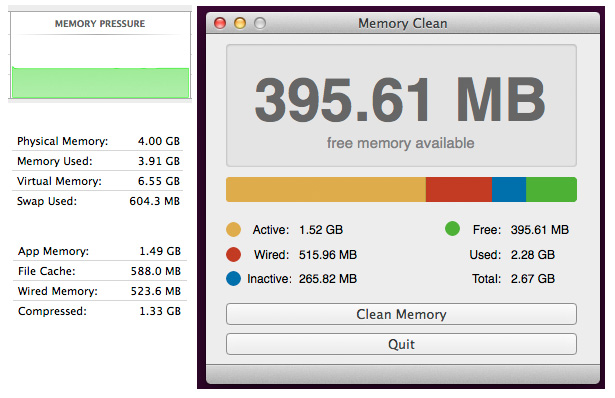
For nerds, you can monitor your computer’s memory usage with Activity Monitor. It is possible to “clean” a Mac’s memory and force all the garbage out of RAM. You probably don’t want to, though, because in doing so you’ll also defeat some of the clever methods Mac OS X uses to optimize the use of available physical RAM. But if you know what you’re doing, a little app named Memory Clean will do this for you, while also continuously displaying in the menu bar the amount of free RAM available. You also can clear the Mac’s memory in a terminal window by typing “sudo purge.” The purge command, which comes with the Mac, will do the same thing. In Activity Monitor, watch the “memory pressure” window. If it’s anything but all green, consider taking action to get it back in the green by closing applications and reopening them as needed.

My iMac is now six years old. One of these years I’ll replace it. But for now I have to live with 4 gigabytes of RAM, which is the maximum my older iMac can take.

And if you see a spinning beach ball, it’s not your Mac’s fault. It’s just that your Mac is trying heroically to deal with the crimes of lousy programmers.

Changing domains: Not for the faint of heart

B-web-traffic

About four months ago, I moved out of the crippledcollie.com domain into this domain — acornabbey.com. Not only is a domain change a tedious and challenging process, even for a nerd. There also is the risk of losing readers.

Frankly, I didn’t do the best of all possible jobs. I went to quite a lot of trouble to move all the posts and photos (about 900 posts and more than 1,000 photos) from the old blog to the new blog. I assumed that Google would find, and index, all those posts at the new acornabbey.com domain. I was wrong. I recently figured out that Google would probably never find all the older material unless I submitted a “site map” to Google, using Google’s Webmaster Tools. That has now been done, and I’m waiting for Google to finish re-indexing everything.

Another step that I needed to take was to automatically redirect traffic from the old blog to the new blog. That was relatively easy, using an .htaccess file on the old server to map everything to the new domain and redirect everything to the new domain.

These changes are kicking in, and traffic to acornabbey.com has more than doubled. I expect it to increase even more once Google finishes indexing all the old posts, which go back to 2007. I’ve posted on many different subjects over the years and show up in a lot of Google searches on obscure subjects such as “Pleides,” “iambic pentameter,” or “biscuits and gravy.”

Nerd post: Hewlett Packard 3456a digital multimeter

B-hp-3456a-1

One of the tragedies of being a nerd is not being able to afford the toys one would like to have when those toys are new. But, thanks to eBay, we can go back in time and find bargains in some of the cool things we’d have liked to have many years ago.

A recent eBay acquisition is an HP 3456a digital multimeter. I believe the list price on these devices was $6,395 in 1982. They can still cost $600 to $700 on eBay if the seller can vouch for the history of the instrument and guarantee that it’s in good working order. If you watch the auctions carefully for a while, you can pick up an HP 3456a for less than $100 if you’re willing to accept some risk.

This instrument seems to be in great working order. The display in the photograph is showing the readout with a 100-ohm resistor across the terminals. The tolerance of the resistor is 5 percent, so at only 1.213 ohms off the rated value of the resistor, the odds are good that both the resistor and the HP 3456a are close to specification.

One of the cools things about the HP 3456a multimeter is that it can be controlled (using an HP-IB interface) by an early HP computer — the HP 85, one of which I also happen to have. Getting the two devices talking to each other will be a project for some other rainy day.

It’s a shame that Hewlett Packard is a mere shadow of its former self. Clearly, years ago, it was a company run by engineers, for engineers, selling to engineers. Cost was not a problem. It was all about the quality of design and the quality of the build. That’s why their stuff is still working today.